| Peak output | A performance tune listing may give a peak power figure. | Check whether the tuning figures for the Sprinter show power at the wheels or at the engine. Compare the performance tune and stock calibration using figures measured at the same point. For a Sprinter performance tune, compare figures from runs that used the same test procedure at similar ambient temperatures. Check that both sets of performance figures come from the same Sprinter 3.0 configuration. |
|---|
| Low-rpm torque | A performance tune may change torque at lower rpm. | Look for a tuning curve that shows torque across the rpm range you use under load. |
|---|
| Pedal mapping | A performance tune may change how much torque a given pedal position requests. Pedal tuning can change the torque requested at part pedal while retaining the same peak torque. | For a Sprinter used in stop-and-go traffic, ask how tuning changes the response to small pedal inputs. |
|---|
| Boost targets | A performance tune may adjust boost targets across the rev range. | Check whether the tuning figures describe peak or sustained boost and whether they show the target or the boost the Sprinter actually reached. |
|---|
| Sustained load | Check whether the performance tune is intended for hauling. | Ask whether the tuning figures come from a short test pull or sustained operation in a Sprinter carrying a comparable load. To assess sustained Sprinter performance, check whether the tuning test reports output throughout the run or only at the start. |
|---|
| Fuel consumption | A performance tune listing may give a fuel-use estimate. | Check whether the tuning figures come from measured fuel consumption, what route or test they cover and which tuning settings the test used. |
|---|
| Speed setting | A performance tune may change or retain the factory limit. | If the tuning description lists a change, check the specified speed for your Sprinter and whether the tune offers a fixed or selectable setting. |
|---|
| Factory software updates | A factory software update can affect which version of a performance tune applies. | If the Sprinter has had a factory update, confirm tuning support for the currently installed ECU software version, even if the tune worked with the previous version. |
|---|
| Prior calibration | A performance tune may require a factory calibration as its starting point. | If the van already has modified software, check whether the tuning procedure calls for restoring the factory calibration first. Check whether the performance tune listing uses stock ECU software or an earlier tuning file as the baseline for its output figures. |
|---|
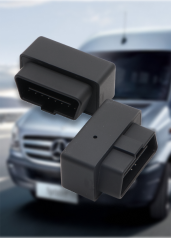
| Installation access | The method for writing a performance tune can depend on the Sprinter configuration and installed software. | Check whether the tuning procedure can be completed through the diagnostic port on your van. |
|---|
| Market version | A performance tune listed for one market may cover a different Sprinter configuration. | Check which market version the tuning listing covers. Look for a build date range and an ECU software ID for the specific Sprinter 3.0 tuning application. If the tuning listing has several entries for the same build date range, check which entry covers the factory software version on your Sprinter 3.0. |
|---|
| Factory software restore | Check whether the installation procedure saves the original calibration before writing the new tuning file. | Check what the tuning instructions require to restore the original calibration and whether you need the same tuning tool to do it. |
|---|
| Bundled changes | A performance tune listing may describe dashboard error suppression as part of the tuning package. | Check which tuning changes come together and which you can select separately. |
|---|